Reading your insights
Insights shows you patterns in how you work — built up over time from the tasks you've timed.
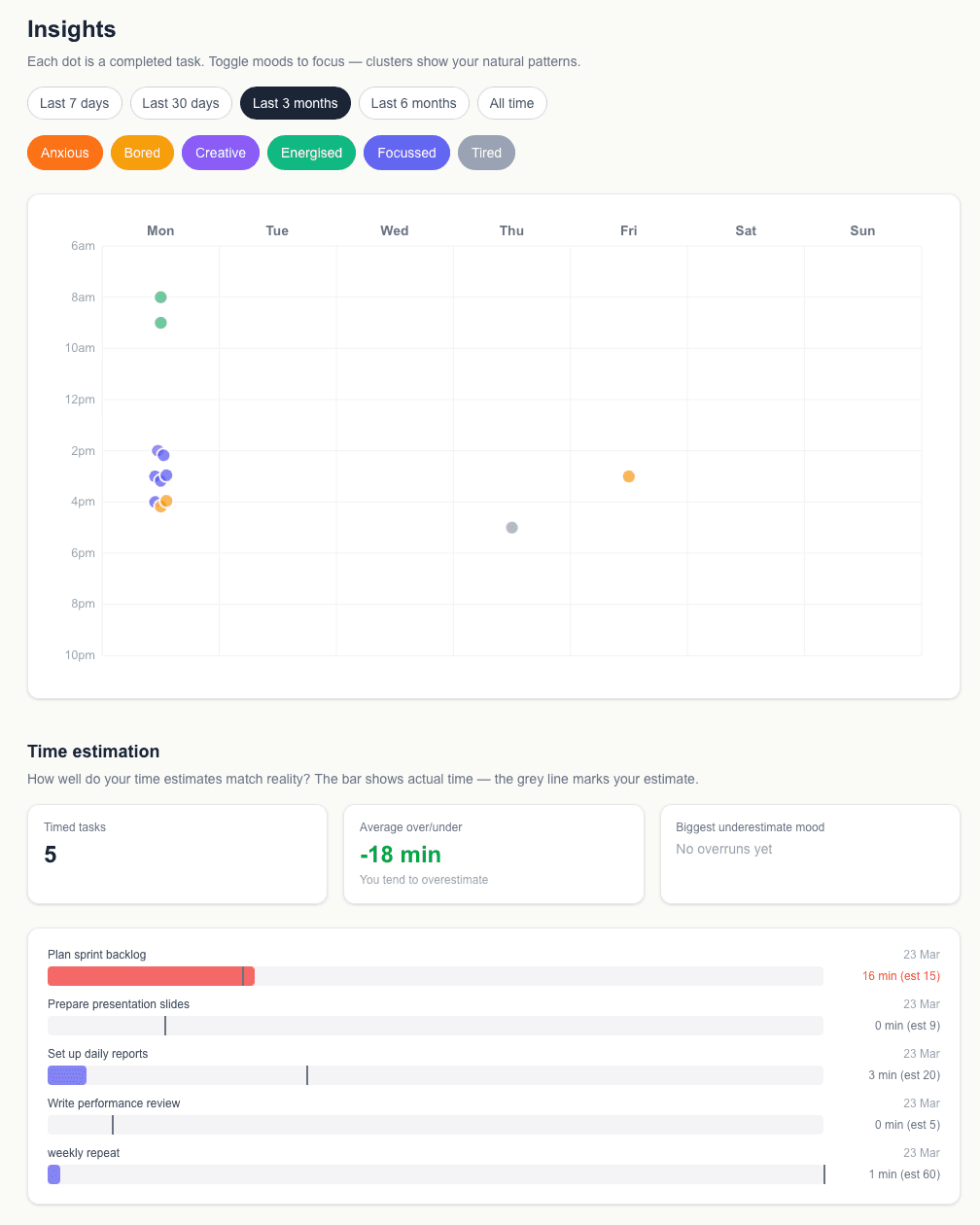
Where to find it
Click Insights in the navigation menu. The page shows data from your completed, timed tasks.
What you'll see
The Insights page includes:
- —How many tasks you've timed in total
- —Your average over or underrun vs your estimates
- —Which mood tends to lead to the biggest underestimates
- —A bar chart of each timed task showing actual vs estimated time
- —Markers showing where you adjusted your estimate mid-task
Pattern nudge
If you've built up enough history, Mood2do will notice patterns — for example, that you tend to do your best Focused work on Wednesday mornings. When it spots a pattern, it shows a subtle suggestion in your mood panel.
How much data do I need?
The insights become meaningful after you've timed around 10 tasks. The pattern nudge requires at least 10 completed tasks before it activates.