Settings
Mood2do can be personalised to fit how your brain works. Here's what you can change.
Your name
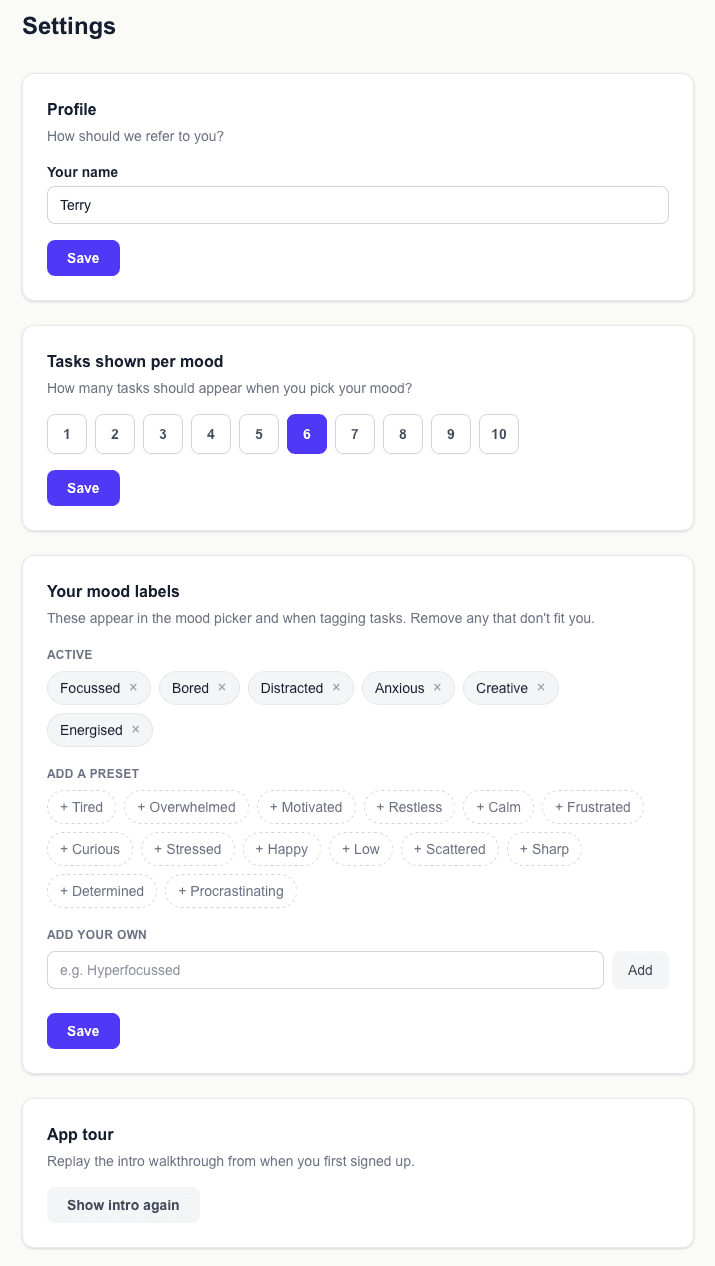
Go to Settings → Profile to set your name. Mood2do uses it on the home screen greeting. If you haven't set it yet, the home screen will prompt you.
Tasks shown per mood
By default, Mood2do shows 5 tasks when you pick a mood. You can change this to anywhere between 1 and 10 in Settings.
If you find 5 tasks overwhelming, try 3. If you want more choice, try 7 or 8.
Mood labels
The mood labels are fully customisable. In Settings → Mood labels you can:
- —Remove preset moods that don't apply to you
- —Add presets back if you remove them by mistake
- —Create your own custom mood labels
App tour
If you want to replay the intro walkthrough, go to Settings → App tour and click "Show intro again".