Snoozing tasks
Not every task is right for today. Snooze sends it away and brings it back when you're ready.
What snoozing does
Snoozing hides a task from your lists until a date you choose. The task doesn't disappear — it just gets out of your way.
This is useful when you know a task isn't happening today (or this week) but you don't want to delete it.
How to snooze a task
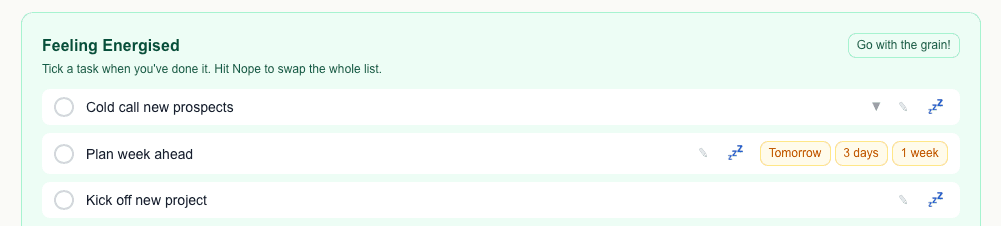
On the Work or Personal page, each task row has a 💤 button. Click it to see snooze options: Tomorrow, 3 days, or 1 week.
Once snoozed, the task disappears from your mood lists until the snooze expires.
Waking a task up early
Go to Task list. Snoozed tasks show an amber "Snoozed until…" badge. Click the badge to wake the task up immediately.