Picking your mood
The mood picker is how you tell Mood2do where you're at. Here's how to use it well.
Where to find it
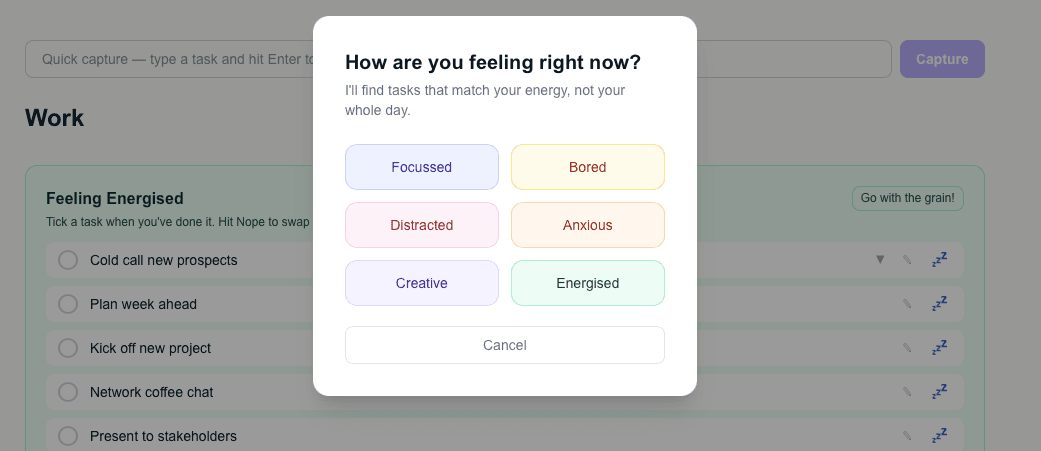
Open Work or Personal from the home screen. Before showing you any tasks, Mood2do asks how you're feeling right now. The mood picker shows all your active mood labels as buttons.
Pick honestly, not aspirationally
This is important: pick the mood that reflects how you actually feel right now — not how you wish you felt, and not the mood with the most tasks.
If you're tired and scattered, pick Low energy or Distracted. Mood2do will find you something that actually suits that state. Pretending to be Focused when you're not just means you'll stare at a task you can't face.
Changing your mood mid-day
Your mood will change. That's fine. The "Go with your mood!" button at the top of your task list lets you change mood at any time. Mood2do will show you a fresh set of tasks for the new mood.
How many tasks will I see?
By default, Mood2do shows you 5 tasks. You can change this in Settings — anywhere from 1 to 10.