The Pomodoro timer
The Pomodoro timer gives you a time-boxed focus session — useful when you need a container, not a commitment.
What is Pomodoro?
The Pomodoro technique is a way of working in short, focused bursts with breaks in between. The idea is that committing to just 25 minutes of work is much easier than committing to "getting things done".
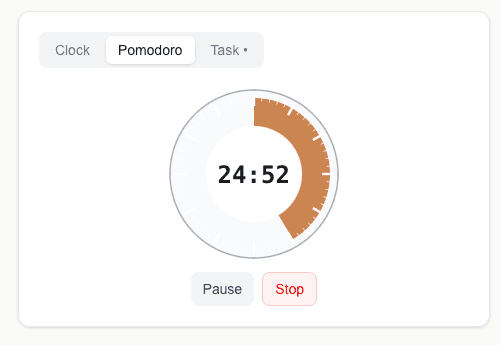
Mood2do's Pomodoro timer is built into the timer widget at the top of every page.
How to use it
Click the Pomodoro tab in the timer widget. Use the − and + buttons to set your session length (anywhere from 5 to 60 minutes). Then hit Start.
The clock face fills like a pie chart showing how much time remains — mapped to actual clock positions, so 25 minutes starts at the 5 o'clock mark.
Pausing and stopping
You can Pause the timer at any point and Resume it later from where it stopped. Hit Stop to cancel the session entirely and reset.
When the time is up
The clock face turns green and shows a ✓. Take a break, then either reset and go again, or switch to a task.