Tagging tasks with moods
Mood tags are what make Mood2do work. They're the link between how you feel and what you do.
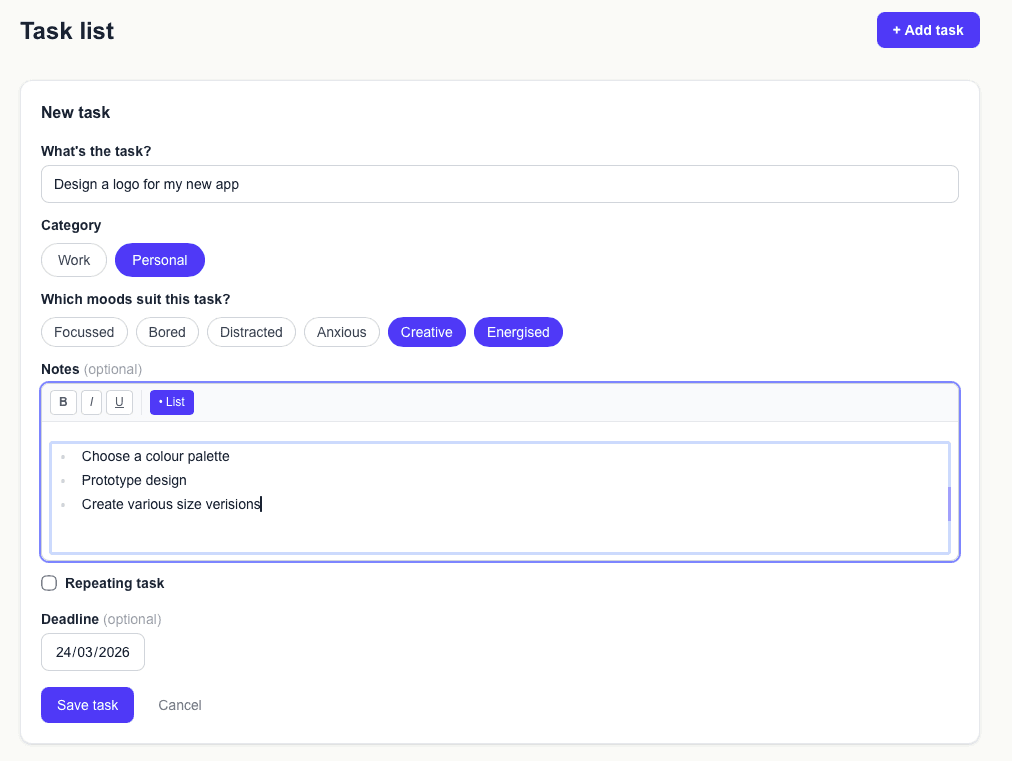
What are mood tags?
Every task can be tagged with one or more moods. When you tell Mood2do how you're feeling, it shows you tasks that match that mood.
Think of them as a label for the mental state this task requires — not how you want to feel, but what the task actually demands.
Examples
Here's how you might tag a few typical tasks:
- —"Write quarterly report" → Focused
- —"Reply to emails" → Low energy, Distracted
- —"Tidy my desk" → Restless
- —"Brainstorm new ideas" → Creative
- —"Pay a bill online" → Low energy
Tagging tips
Give each task more than one mood tag where possible. The more you tag, the more likely Mood2do is to find something suitable when you check in.
Don't over-think it. If a task feels like it could work for a mood, tag it. You can always edit later.
Customising your mood labels
The default mood labels are a starting point. Go to Settings → Mood labels to add your own, remove ones that don't fit, or rename them to language that makes more sense to your brain.